
Plans and credits
what you sell, and what each action costs.
Customers spend credits on AI and rendering. You decide the credit price of every action, the plans they subscribe to, and the credit packs they top up with. Payments go to your own Stripe account.
01Credits
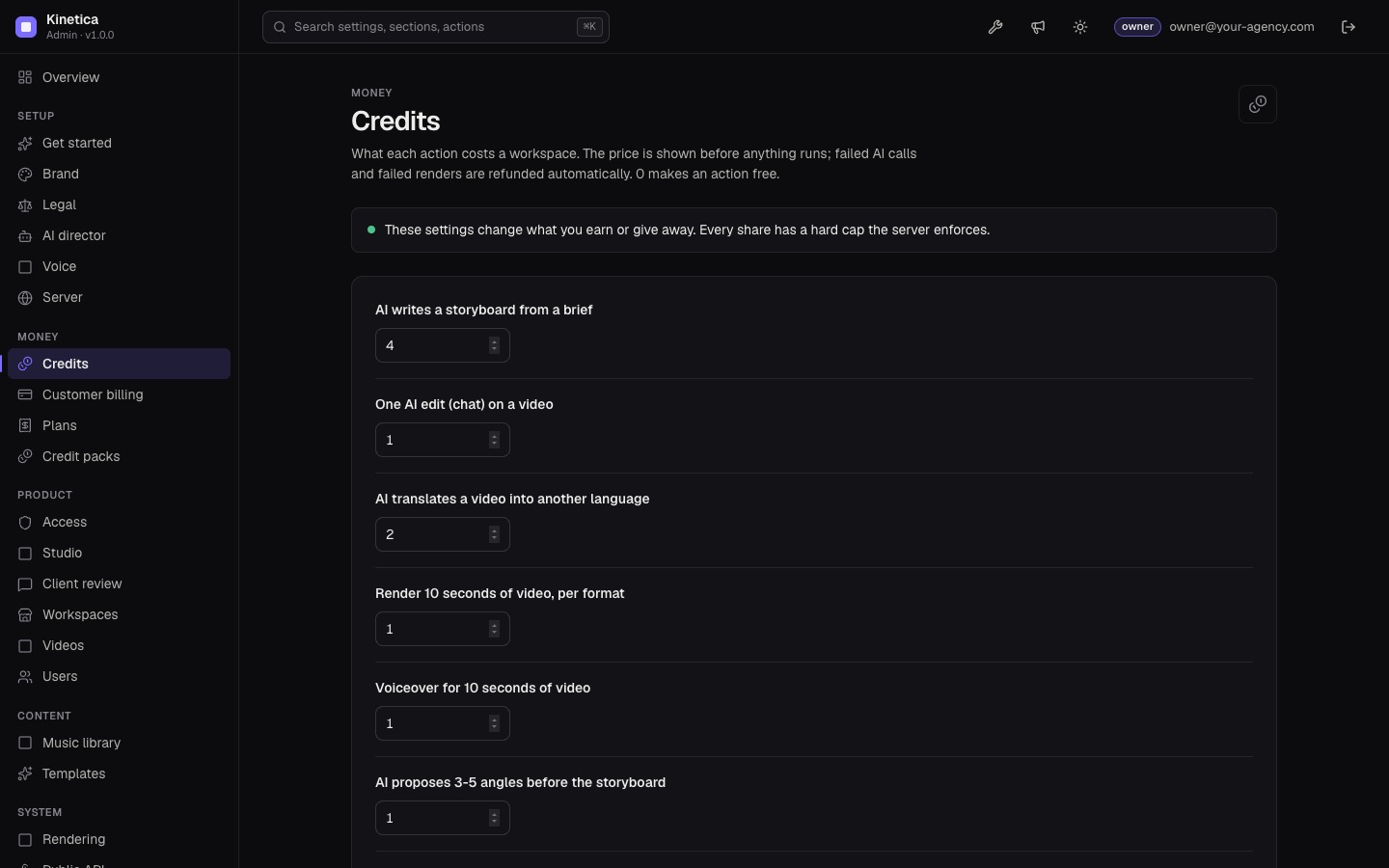
Every paid action costs a workspace credits. The price is shown before anything runs, and failed AI calls and failed renders are refunded automatically. Set the prices in the console, Settings, Credits (0 makes an action free):
| Action | Setting key | Default |
|---|---|---|
| AI writes a storyboard from a brief | credits.plan | 4 |
| AI proposes 3-5 angles before the storyboard (pitch mode) | credits.pitch | 1 |
| One AI edit (chat) on a video | credits.edit | 1 |
| AI translates a video into another language | credits.translate | 2 |
| Render 10 seconds of video, per format | credits.render10s | 1 |
| Voiceover for 10 seconds of video | credits.voice10s | 1 |
| A 4K render costs this many times a 1080p render | credits.uhdMultiplier | 3 |
The smaller AI tools in the editor (rewrite one text, hook variants, post copy, a brief written from a long text) are charged at the AI edit price (src/server/routes/ai.ts). "Try 3 looks", copies, templates, bulk copies and pronunciation are free; rendering each copy is priced as usual.
02Model tiers
People pick a tier for the storyboard and for chat edits, in the guided flow and in the editor's AI tab. Each tier maps to a Claude model and a credit multiplier you set in Settings, AI director (AI_TIERS in src/server/admin/manifest.ts):
| Tier | Default model | Default multiplier | Shown to people as |
|---|---|---|---|
| Fast | Claude Haiku 5.5 | 0.5 | Quick drafts at the lowest price |
| Balanced | Claude Sonnet 5.5 | 0.75 | Good copy, quicker and cheaper |
| Smart | Claude Opus 5.5 | 1 | The best storyboards and edits |
The multiplier applies to the storyboard and AI edit prices, rounded up. With the defaults a storyboard costs 2, 3 or 4 credits. A tier only changes the storyboard and the chat edit; every other step keeps its own model setting. The Fast model also proposes the angles in pitch mode. "Tier picked by default" is Smart.
03Where credits come from
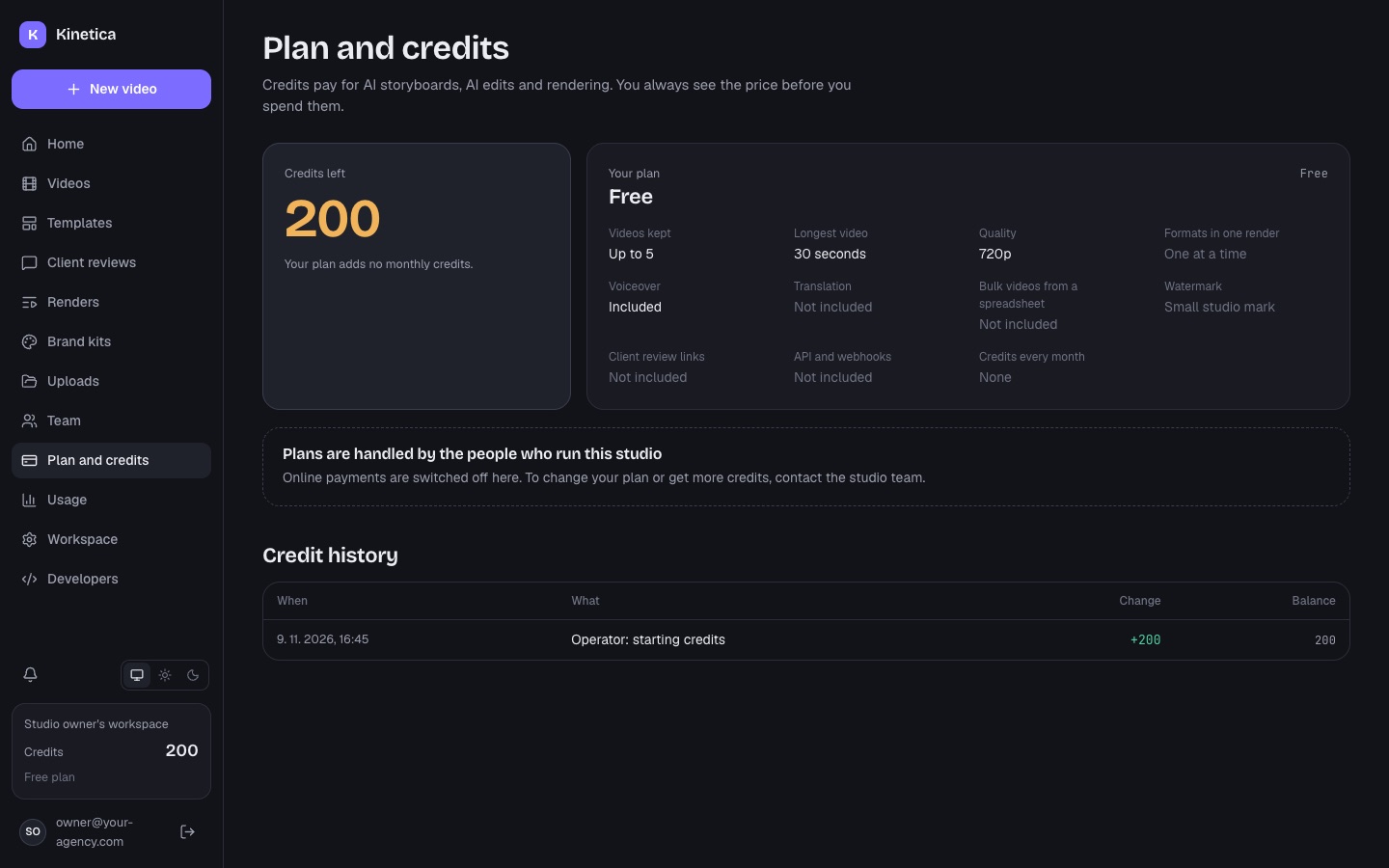
- Monthly credits of the workspace's plan, added each time Stripe reports a paid invoice.
- Credit packs a workspace buys. They never expire.
- Welcome credits for a new self-serve workspace (Settings, Access).
- You: console, Workspaces, "Credits…" adds or removes credits with a reason the workspace sees in its credit history.
04Plans
Console page Plans. A plan sets what a workspace may do:
| Field | Meaning |
|---|---|
| Name, price per month, currency, Stripe price id | What Stripe charges. Create a recurring price in Stripe and paste its price_… id. A free plan needs none. |
| Credits per month | Added on every paid invoice |
| Videos | How many videos the workspace can keep |
| Longest video (seconds) | Capped by Settings, Studio, "Longest video anyone can make" |
| Resolution | 720p or 1080p |
| Export all formats at once | Several aspect ratios in one render |
| Voiceover, AI translation | Features on or off |
| Many videos from a CSV | Bulk videos from a spreadsheet (Bulk CSV) |
| No watermark | Removes the watermark set in Settings, Rendering |
| 4K export | Allows 4K renders at the 4K multiplier |
| Client review links | Client reviews |
| REST API and webhooks | API; also needs the API turned on in Settings, Public API |
| Order on the pricing page | Sort order customers see |
| Render queue priority | Higher goes first when renders wait |
| Free plan (for sign-ups) | New self-serve workspaces get the first active free plan |
| Active | Hidden plans stay on existing workspaces but cannot be chosen |
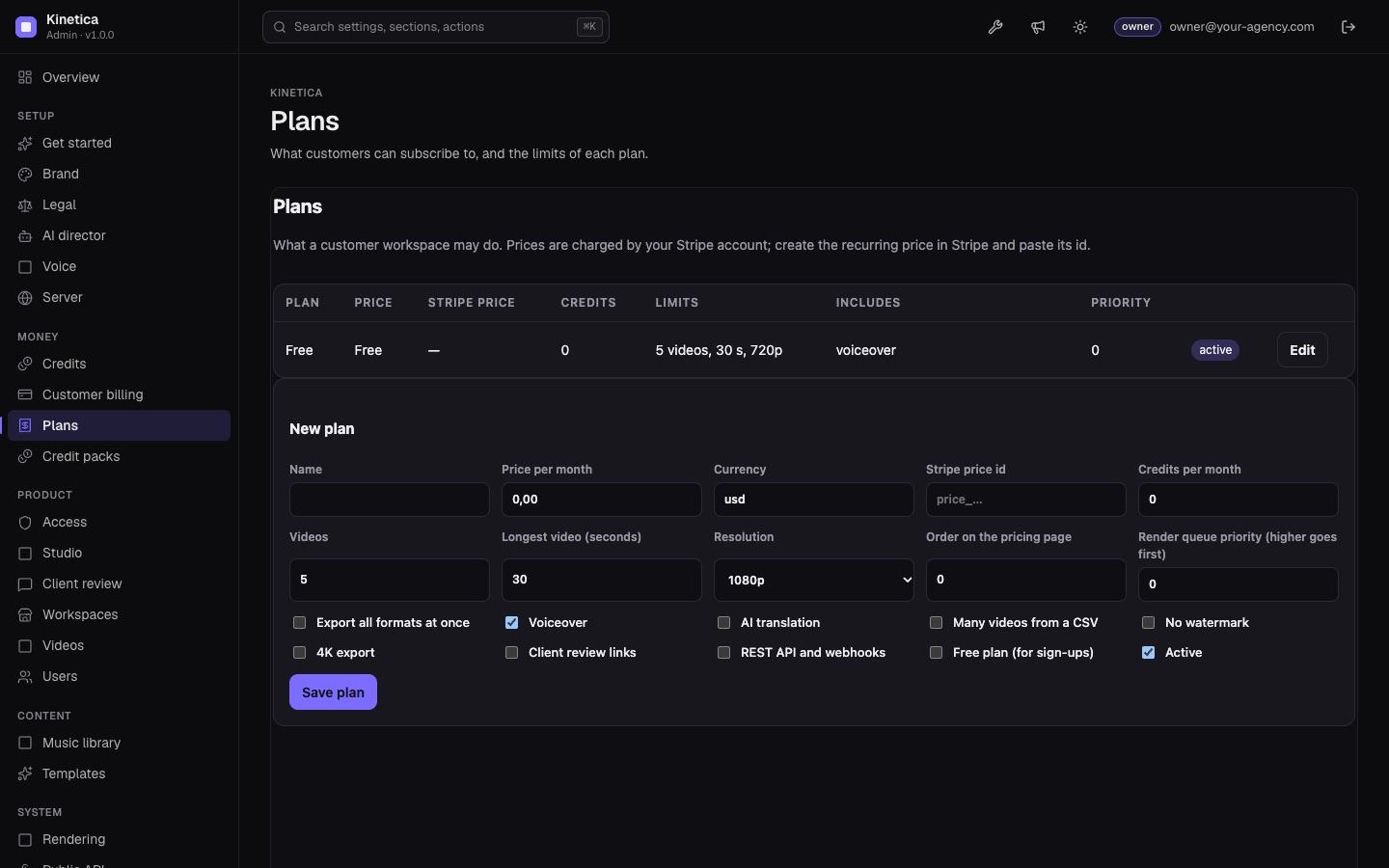
A new install has one plan, Free: 5 videos, 30 seconds, 720p, voiceover on, no monthly credits. Change it to what you want to give away.
Customers see their plan, the comparison and the credit packs on the studio's Plan and credits page. Owners of a workspace change the plan there; "Invoices and payment method" opens Stripe's customer portal.
05Credit packs
Console page Credit packs: one-time top-ups a workspace can buy when its monthly credits run out. Each pack has a name, a number of credits, a price (at least 0.50) with a three-letter currency code (for example usd or eur), and an active switch. Stripe Checkout charges it; no Stripe price id is needed.
06Turn selling on
- Stripe keys Paste the secret key under Settings, Integrations.
- Webhook Add the endpoint and its signing secret (Stripe webhook).
- Plans and packs Create them, with Stripe price ids on the paid plans.
- Switch Settings, Customer billing, "Sell plans and credit packs".
- Test With test keys first: buy a credit pack with Stripe's test card and check the workspace's credits on the console's Workspaces page.
Without online payments you can still set any workspace's plan by hand on the Workspaces page, for example for clients you invoice yourself.
The console's Revenue page counts payments recorded by the Stripe webhook, in two sources: plan subscriptions and credit packs. It shows what happened on your server, never estimates.